Reproducible and Scalable Research with Snakemake
Teachers
Authors
Attribution
This course is partly inspired by the Carpentries Docker course, the official Snakemake tutorial and the Introduction to Snakemake workshop from SIB-Days 2022.
License & copyright
License: CC BY-SA 4.0
Copyright: SIB Swiss Institute of Bioinformatics
Material
- This website
- Youtube playlist of the course videos
- Zoom meeting (through mail)
- Shared document (through mail)
Learning outcomes
General learning outcomes
After this course, you will be able to:
- Understand the basic principles and advantages of Workflow Management Systems
- Create data analysis workflows with Snakemake
- Combine Snakemake with containers and conda environments to build reproducible computational workflows
- Run Snakemake workflows locally and in HPC environments
Learning outcomes explained
To reach the general learning outcomes above, we have set a number of smaller learning outcomes. Each chapter (for example here) starts with these smaller learning outcomes. Use these at the start of a chapter to get an idea what you will learn. Use them also at the end of a chapter to evaluate whether you have learned what you were expected to learn.
Learning experiences
To reach the learning outcomes we will use lectures, exercises, polls and group work. During exercises, you are free to discuss with other participants. During lectures, focus on the lecture only.
Exercises
Each block has practical work involved. Some more than others. The practicals are subdivided into chapters, and we’ll have a (short) discussion after each chapter. All answers to the practicals are incorporated, but they are hidden. Do the exercise first by yourself, before checking out the answer. If your answer is different from the answer in the practicals, try to figure out why they are different.
Asking questions
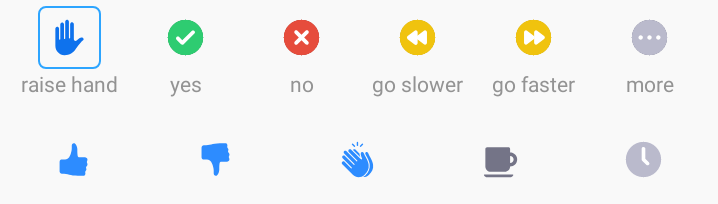
During lectures, you are encouraged to raise your hand if you have questions (if in-person), or use the ‘Raise Hand’ Zoom functionality or write a message in the general chat (if online). Feel free to speak up! Find the buttons in the participants list (‘Participants’ button):
Alternatively, (depending on your zoom version or OS) use the ‘Reactions’ button:
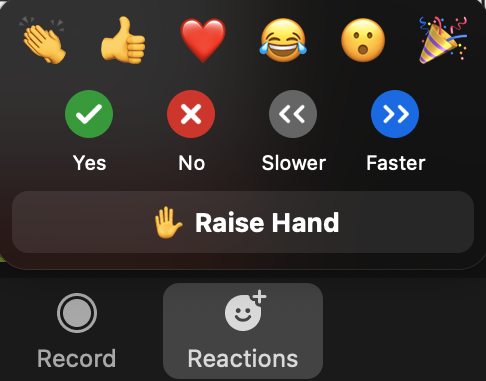
During the exercises, e.g. if you are stuck or don’t understand what is going on, write to the teachers or helpers directly.
You can also write questions in the Questions & answers section of the shared document, including background questions that interest you personally. This section is not only meant for asking questions but also for answering questions of other participants. If you are replying to a question of another participant, write underneath it with a supplementary indent for the bullet point. The teachers will review the answers, and add/modify if necessary.
To summarise:
- During lectures: raise hand/Zoom functionality, general Zoom chat messages
- Personal interest questions: shared document
- During exercises: private messages to teachers